
Download Gestión Portable – Small Business Management, Invoicing, Client Tracking
Overview
Gestión Portable is a mobile application designed to support small business owners in managing their daily operations with greater efficiency. The app provides a centralized platform for handling products, services, clients, budgets, invoices, and payments—core functions essential for maintaining smooth business workflows. Its primary purpose is to reduce administrative burden by consolidating multiple tools into a single, accessible interface. This makes it particularly valuable for entrepreneurs who manage their businesses independently or with minimal support staff.
The app targets small business operators across various sectors, including retail, consulting, freelancing, and service-based enterprises. These users often require a lightweight yet robust system to track financial transactions, client interactions, and operational tasks without relying on complex enterprise software. Gestión Portable addresses this need by offering a practical solution tailored to real-world business challenges such as delayed payments, disorganized records, and inefficient task coordination.
Although the developer’s background is not publicly detailed, the app has been available since 2014, indicating a long-standing presence in the small business software ecosystem. Its continued relevance suggests a stable foundation and consistent user support. The app functions as a utility tool that enhances productivity, offering a secure and reliable way to manage business data on mobile devices. For users seeking a dependable, all-in-one management system, Gestión Portable serves as a foundational digital tool in the modern entrepreneur’s toolkit.
Key Features & Functionality
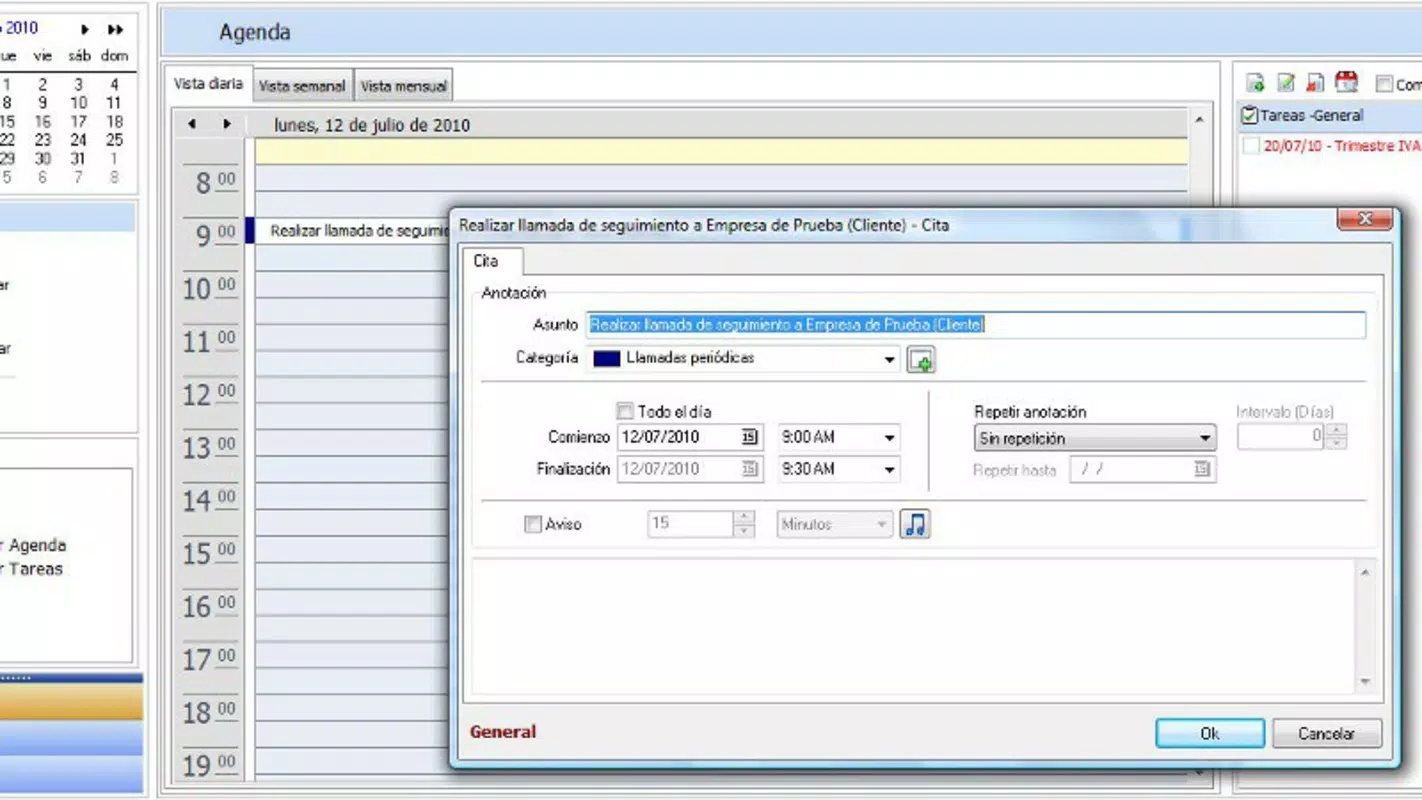
- Task Manager Integration: The app includes a synchronized task manager that enables seamless tracking of interactions with clients and suppliers. This feature ensures all communications and action items are logged, reducing the risk of missed follow-ups and improving accountability across business relationships.
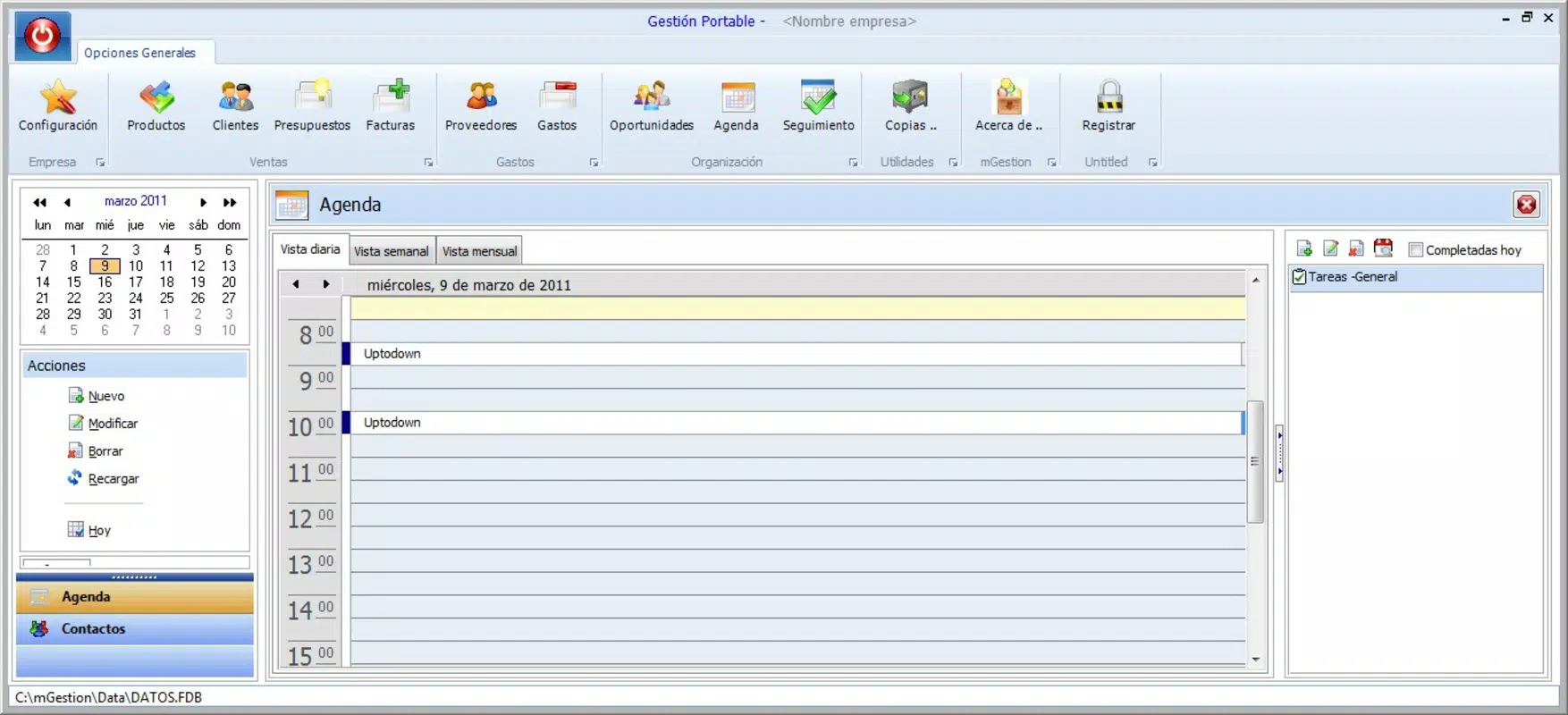
- User-Friendly Interface: Designed with simplicity in mind, the interface allows users to access core functions with minimal effort. Menus and tools are logically organized, making navigation intuitive even for those with limited technical experience.
- Convenient Backup Options: Users can schedule automated backups of all business data, ensuring critical information is preserved. This functionality protects against data loss due to device failure or accidental deletion, offering peace of mind during daily operations.
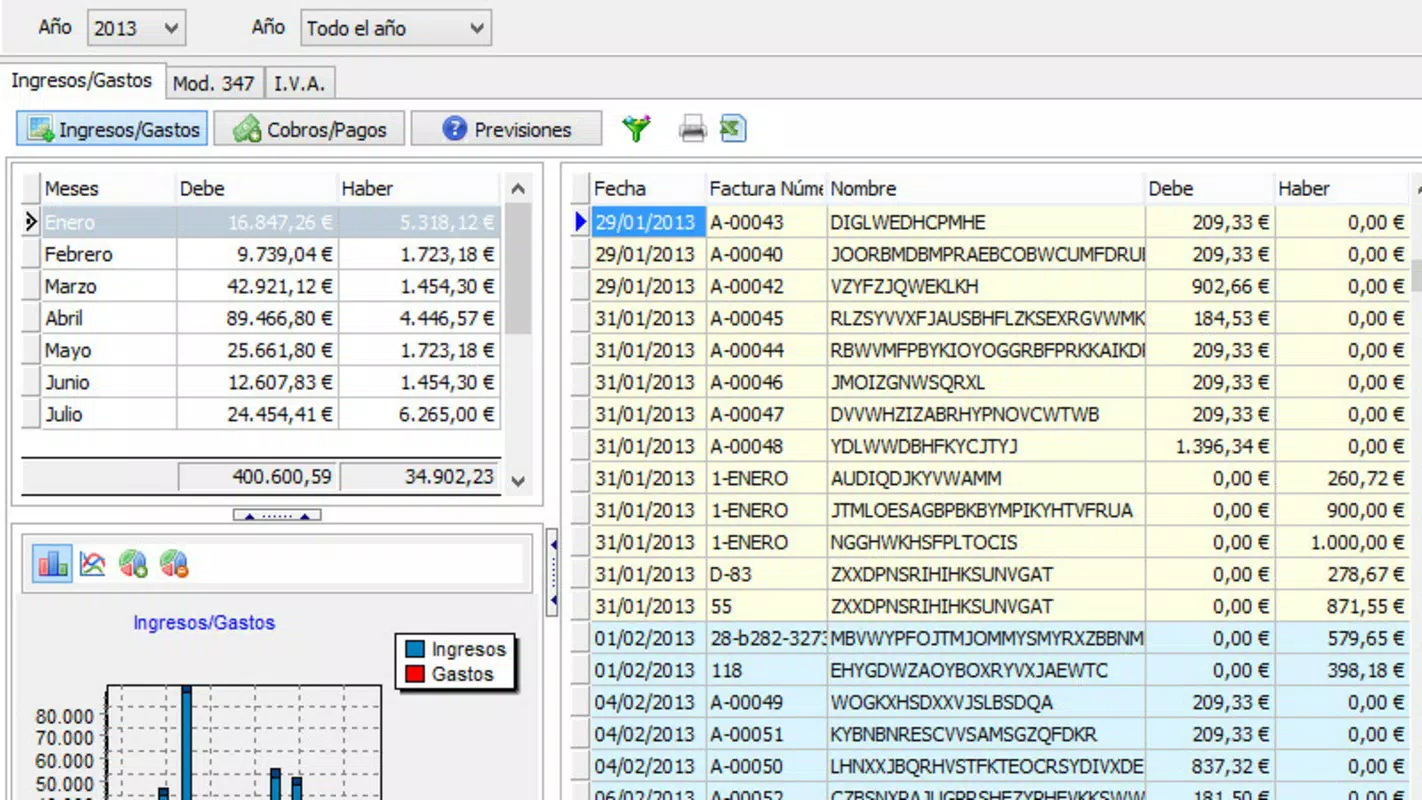
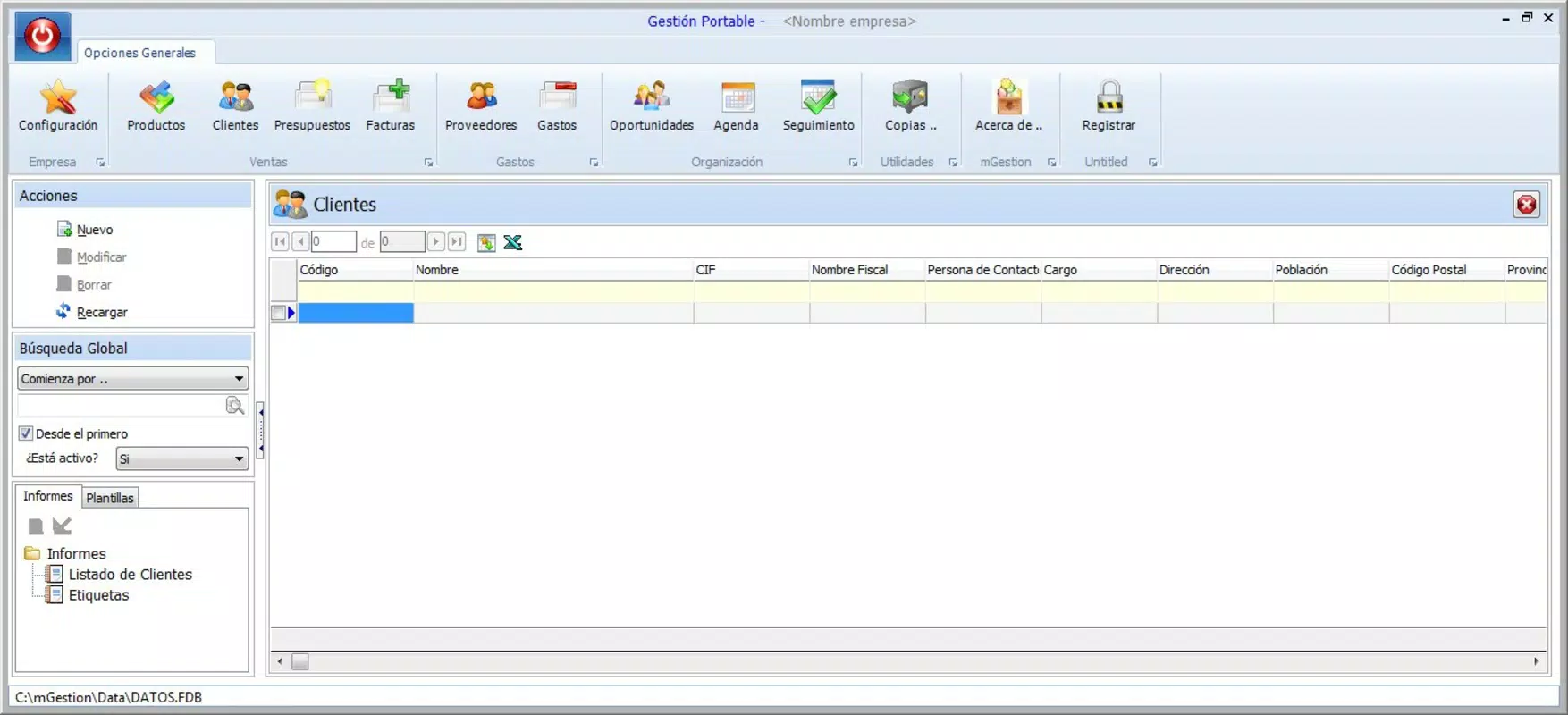
- Comprehensive Business Suite: The app consolidates essential business tools into one platform, including budgeting, invoicing, client management, and payment tracking. This integration eliminates the need to switch between multiple apps, streamlining daily workflows.
For example, a freelance consultant can use the task manager to assign follow-up actions after client meetings, while simultaneously generating an invoice for completed work. The same user can schedule a backup to ensure no data is lost during device upgrades. These features work together to support consistent, organized business practices without requiring advanced training or technical setup.
Interface, UX & Performance
Gestión Portable presents a clean and functional user interface, emphasizing clarity and accessibility. The layout prioritizes key functions such as client management, invoicing, and task tracking, placing them within a few taps from the home screen. Navigation is straightforward, with consistent menu placement and minimal onboarding steps, which supports a smooth user experience for both new and returning users.
The visual design maintains a professional tone with a focus on usability over flashy graphics. Color coding and icons are used strategically to differentiate between statuses such as pending invoices or overdue tasks. This visual hierarchy helps users quickly identify priorities and take action. Although the developer did not list formal performance metrics, the app’s long-standing presence suggests a stable and responsive operation across a range of mobile devices.
Responsiveness is generally reliable, with minimal lag during transitions between screens. The app maintains stability during extended use, and users can expect consistent performance when managing large datasets. While specific device compatibility details were not provided, the app appears optimized for standard smartphone usage, supporting both portrait and landscape orientations where applicable. Overall, the UX design reflects a mature product focused on utility and reliability.
Platform Compatibility & Technical Requirements
Gestión Portable is available for Android and iOS platforms, making it accessible to a broad audience of mobile users. The current software version is not specified in the provided information, nor are the exact minimum OS requirements. The app’s file size is also not disclosed, though its functionality suggests it is optimized for efficient use on devices with moderate storage capacity.
The developer did not specify minimum OS requirements, nor did they list supported hardware configurations. As such, users are advised to check the official app store listing for the most accurate compatibility details. Compatibility information was not fully disclosed, so installation on older or less common devices may vary. The app’s availability on both major mobile operating systems indicates a commitment to cross-platform accessibility, though specific technical specifications remain unconfirmed.
Pros and Cons
Pros
- Centralized management of clients, invoices, budgets, and tasks
- Intuitive interface suitable for non-technical users
- Automated backup functionality for data protection
- Long-standing presence with consistent updates
- Supports multiple business operations in a single app
Cons
- Specific technical requirements not disclosed
- No public information on developer background
- Performance metrics not provided
- Compatibility with older devices not confirmed
- Feature details limited to general descriptions
FAQ
Is Gestión Portable available for both Android and iOS?
Yes, the app is designed for both Android and iOS platforms. Users can download and install it from their respective app stores.
Can I back up my business data using Gestión Portable?
Yes, the app includes backup options that allow users to schedule regular backups of their data, helping to prevent loss due to device issues.
Is the app secure for storing sensitive business information?
The app provides backup functionality and data management tools, but specific security measures such as encryption or authentication protocols were not detailed in the provided information.
How often is Gestión Portable updated?
While the app has been available since 2014, the update frequency is not specified. Users should check the app store for the latest version and release notes.
Can I use Gestión Portable without an internet connection?
Basic functionality such as viewing data and managing tasks may be available offline. However, features like cloud backups and real-time synchronization require an active internet connection.
Final Thoughts
Gestión Portable stands out as a practical, no-frills solution for small business owners seeking to streamline their operations. Its ability to integrate client management, invoicing, budgeting, and task tracking into a single interface makes it a valuable tool for entrepreneurs who need reliability over complexity. The user-friendly design ensures that even those with limited tech experience can adopt the app quickly and confidently.
While detailed technical specifications and developer information are not available, the app’s longevity and core functionality suggest a dependable product. For users who prioritize data security, workflow consistency, and ease of use, Gestión Portable delivers tangible value. It is especially beneficial for freelancers, small retailers, and independent consultants managing multiple clients and financial tasks.
Download Gestión Portable now


